
Cash payment gateway
The Cash gateway lets you accept offline payments (cash, bank transfer or any manual method). Instead of redirecting the customer to an external checkout, the customer receives a confirmation code that unlocks the subscription once you confirm the payment. No external payment provider or API keys are required.
How it works
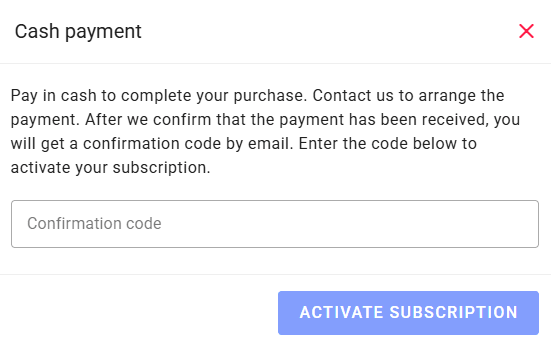
1. The customer selects a plan and clicks “Upgrade now”. A payment request is created and a window opens with your instructions and a field for the confirmation code (the code is hidden from the customer at this stage).
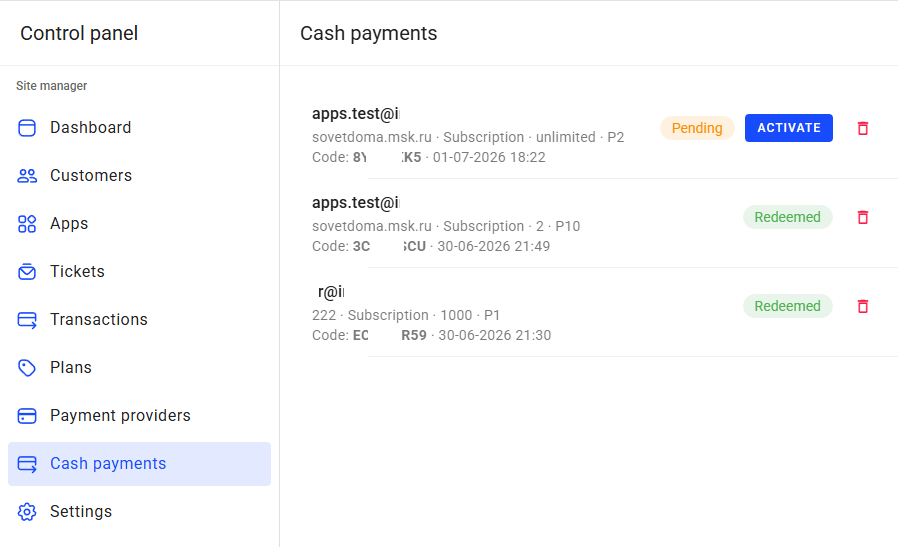
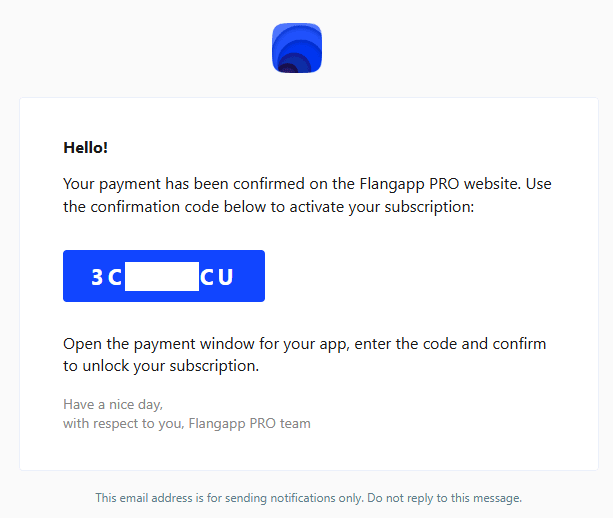
2. The customer pays you offline. You open the Cash payments page in the admin panel, find the request (customer, application, plan, amount) and click Activate once the money is received. The confirmation code is then emailed to the customer, and you can also read it in the list to tell the customer directly.
3. The customer enters the code in the window and confirms — the subscription is activated.
1. Enable the gateway
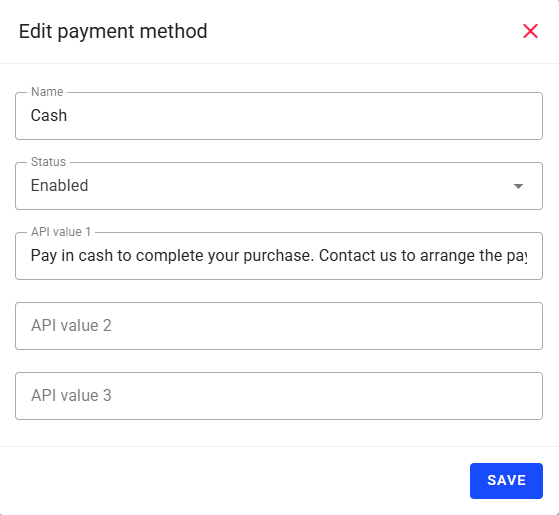
Go to the Dashboard - Payment Providers and click on the “Cash” section. Set Status to Enabled and put the text shown to your customers in the payment window into the Api value 1 field (for example, your contact details and how to pay). Keep in mind that only one payment provider can be active at a time, so enabling “Cash” will disable the others.
This is how the payment window looks for the customer after clicking “Upgrade now”:
2. Confirm payments and activate codes
Open the Cash payments section in the admin sidebar. Each request shows the customer, application, plan, amount, code, status and date. After receiving the money, click Activate — the code becomes valid and is emailed to the customer. Use Delete to remove an obsolete request.
After activation the customer receives an email with the confirmation code:
Notes: cash subscriptions are not renewed automatically — when a period ends the customer creates a new request and receives a new code. Sending the code by email requires a configured Email gateway; if email is not configured, you can still read the code in the Cash payments list and pass it to the customer manually.