
One-time plan
A one-time plan will allow the user to create a fixed number of builds, but these builds will not be locked in time.
Once the available builds are exhausted, the user can't create a new build, but the application will still be available.
You can add a new one-time plan in the control panel in the section Dashboard - Plans - Create plan section. Fill in the form as shown below:
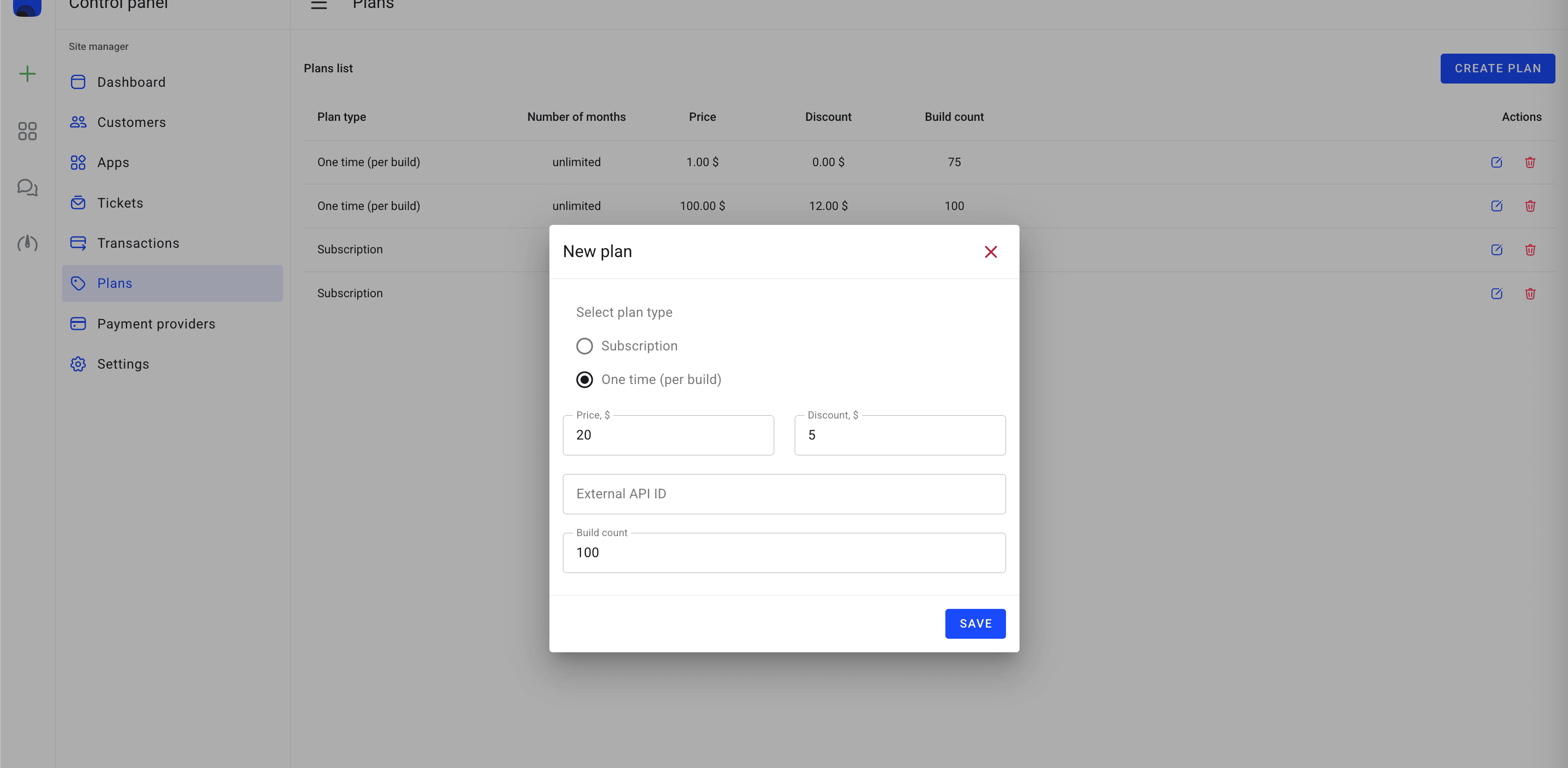
Select plan type
Select the one-time plan type of the plan.
Price
Set the one-time plan price in the currency configured in your site settings. This is the amount users will be charged for the subscription period.
Discount
Comparative discount rate. This value does not affect the final price of the plan, but only shows the savings among plans.
Build count
Set the number of builds that the user can create.
In the External ID field, you have to enter the subscription ID that was created in your payment provider account.
Stripe
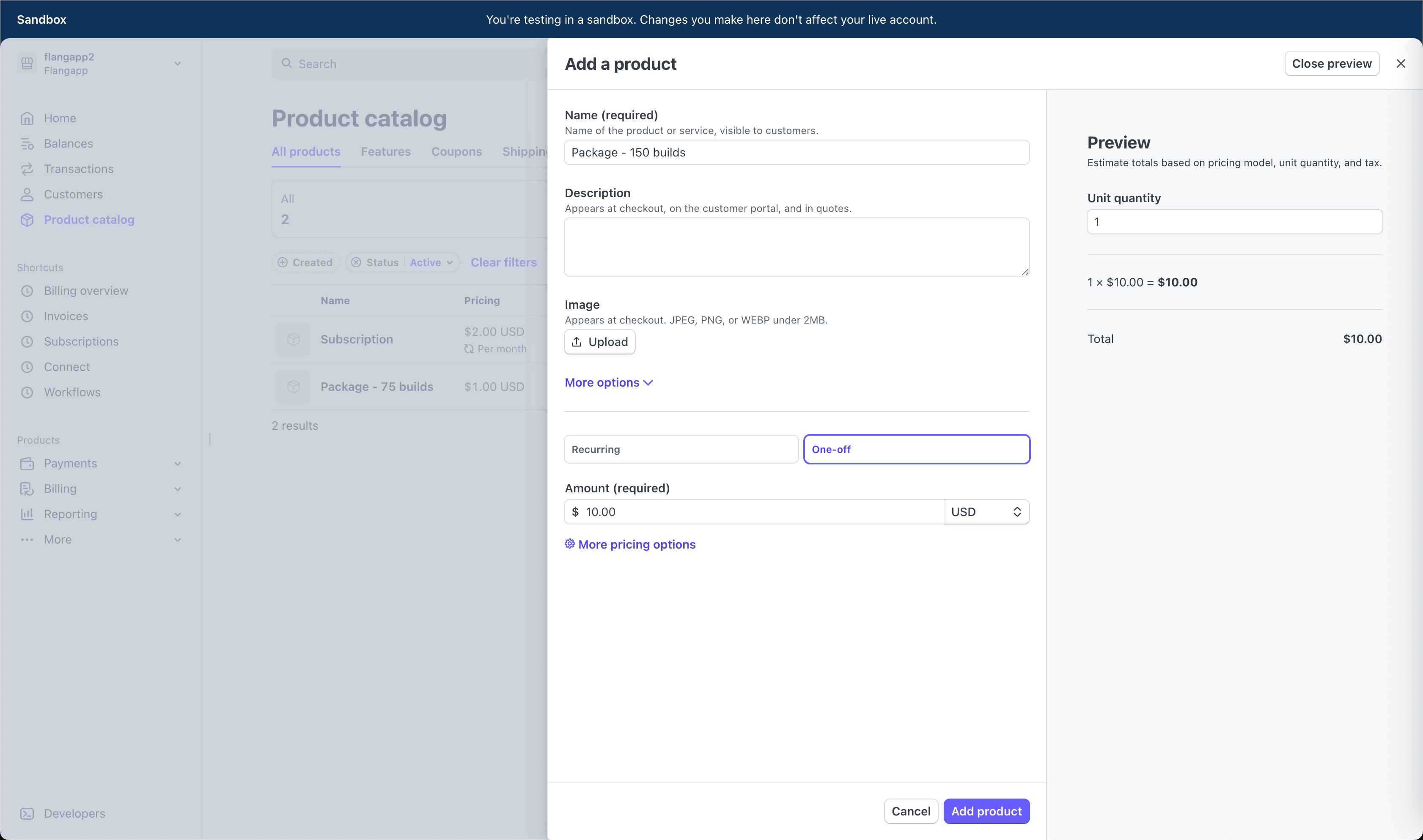
You can create a new product with "One-off" type in the “Product catalog” section https://dashboard.stripe.com/products?active=true:
Right after creation confirmation, you will be able to copy the API ID (price_id):
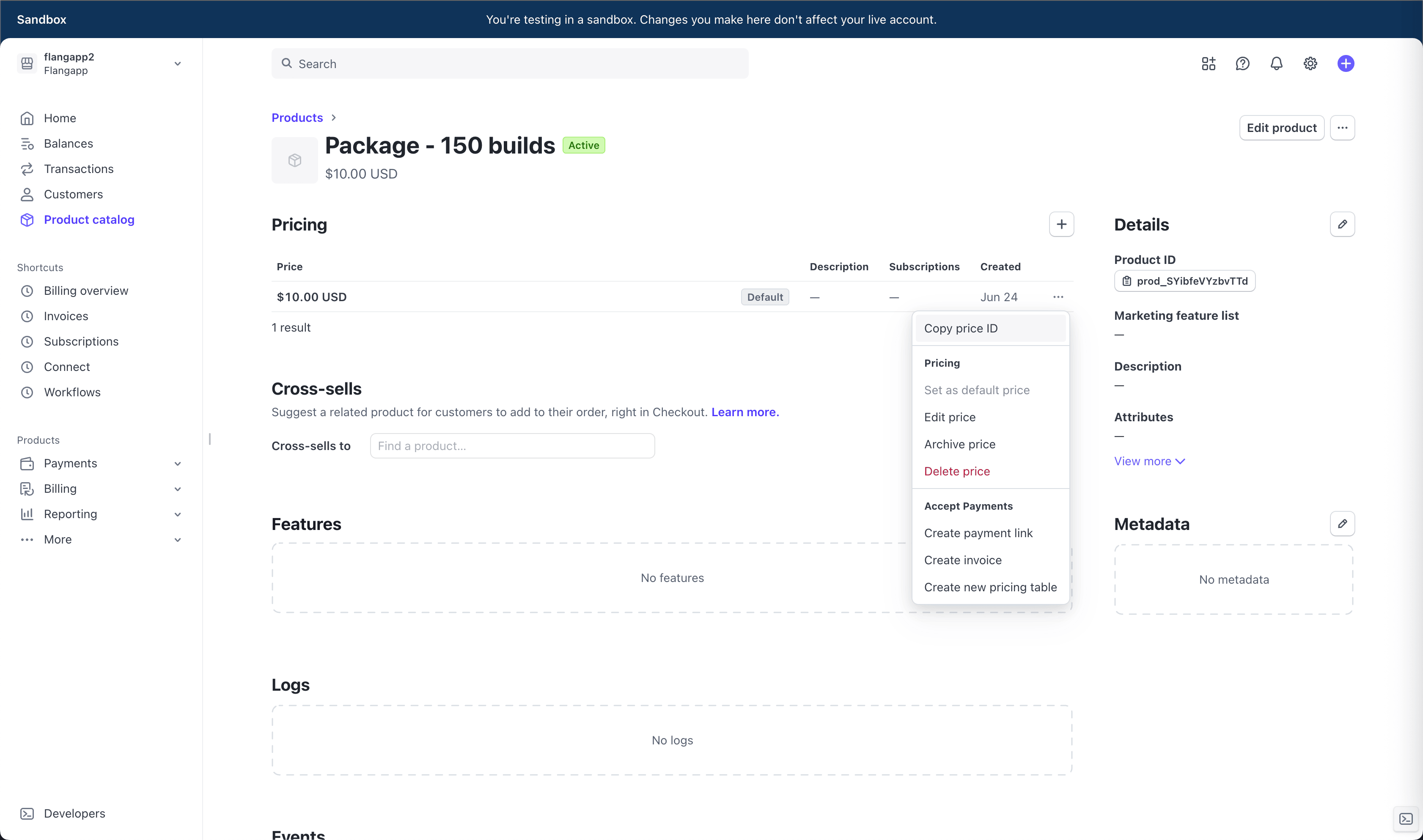
This value must be entered in the External Api ID field in the Flangapp plan settings. Please keep in mind that your billing cycle and subscription price have to match what you see in your Flangapp dashboard.
PayPal
Leave this field blank. It's not required for this payment provider.
RazorPay
Leave this field blank. It's not required for this payment provider.
YooMoney
Leave this field blank. It's not required for this payment provider.
Paystack
Leave this field blank. It's not required for this payment provider.