
Paystack settings
1. Secret Key & Public Key
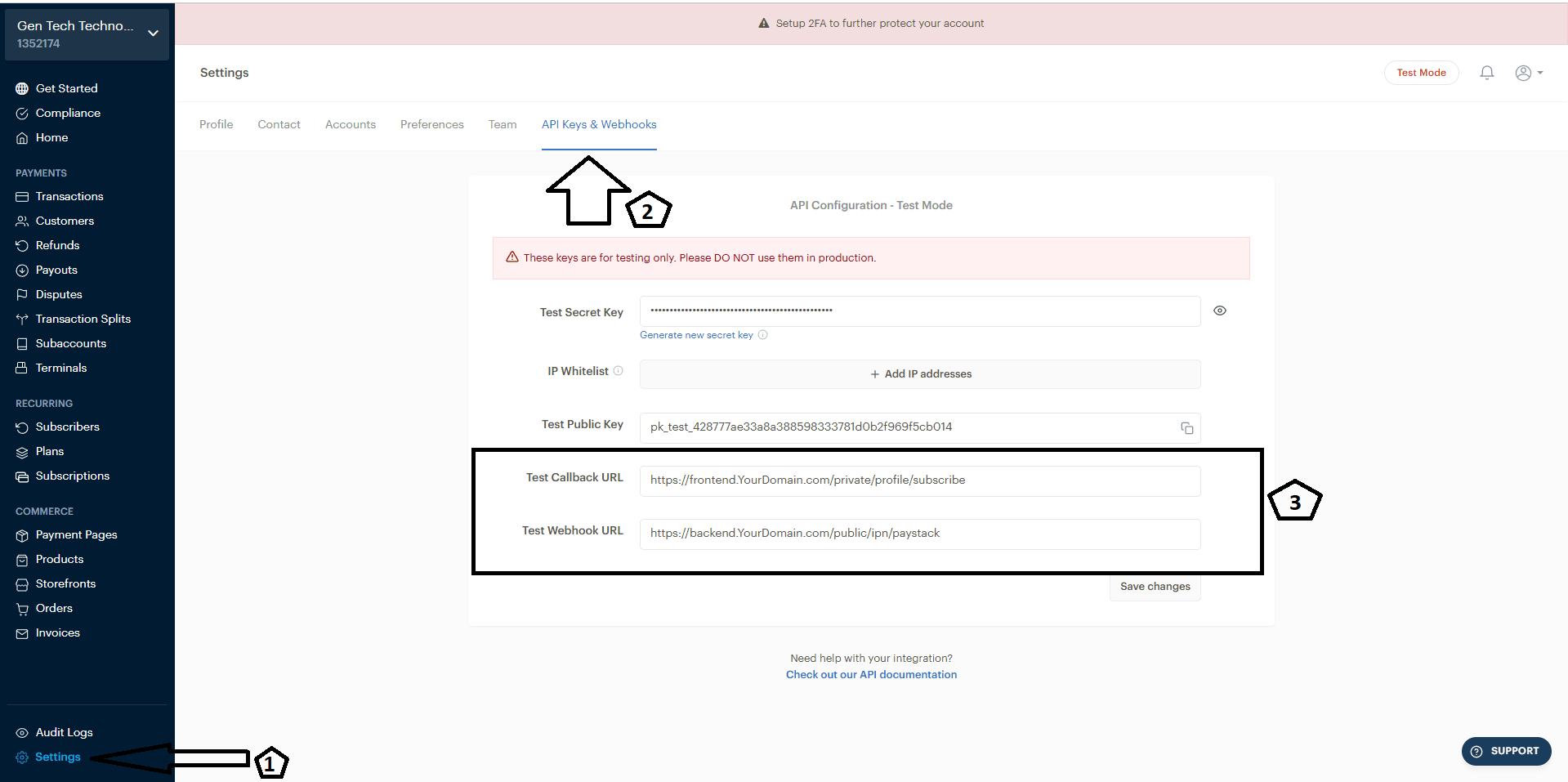
Go to Paystack dashboard and go to settings
2. Callback URL & Webhook URL
Set up 2 items Callback URL & Webhook URL as follows
- Callback URL, enter the value as https://Backend.YourDomain.com/private/profile/subscribe for example if your backend address is api.domain.com then the value entered will be https://api.domain.com/private/profile/subscribe
- Webhook URL enter the value as https://Backend.YourDomain.com/public/ipn/paystack for example if your backend address is api.domain.com then the value entered will be https://api.domain.com/public/ipn/paystack
2. Setup in admin panel
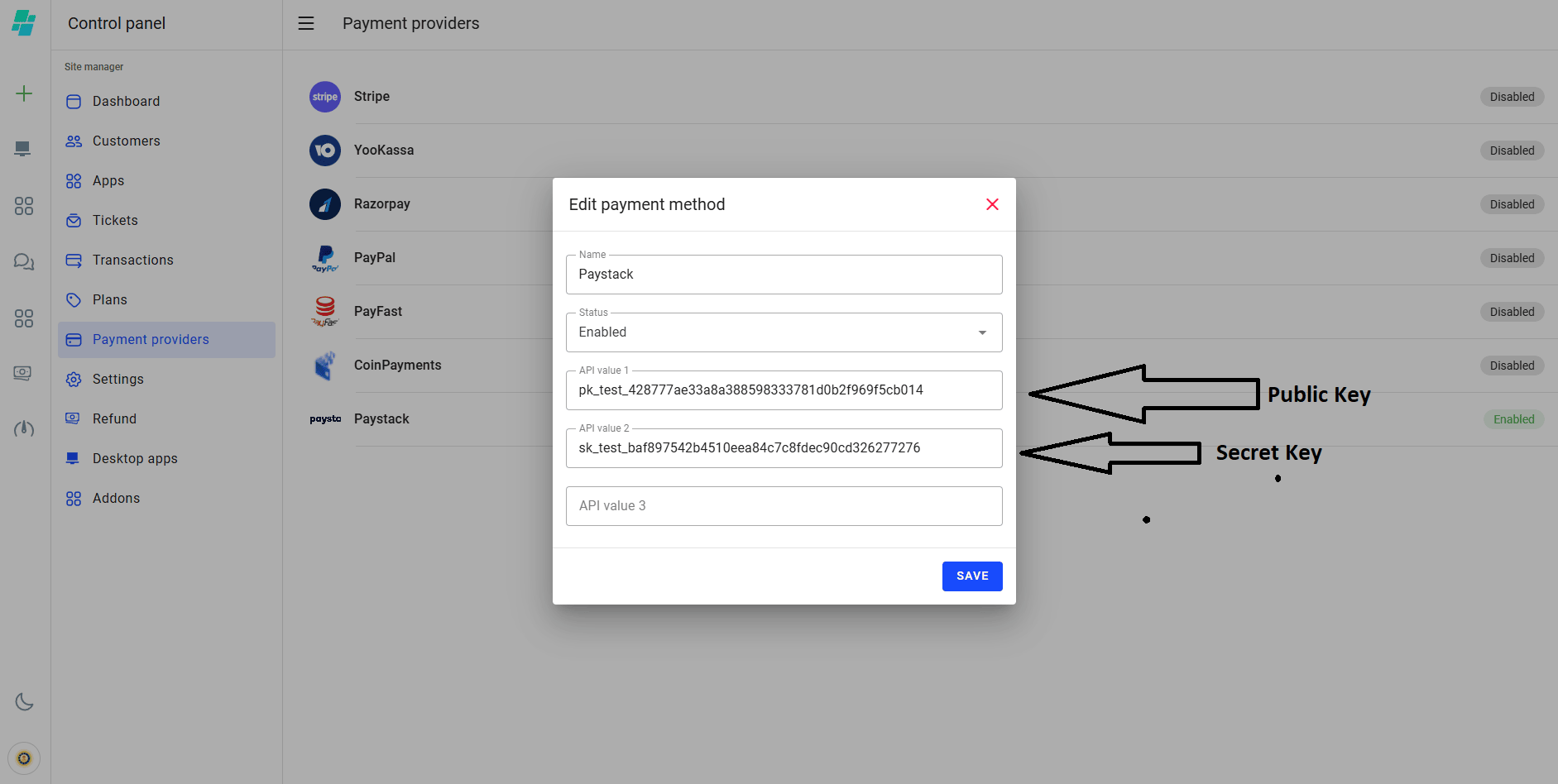
Copy Secret Key & Public Key into the corresponding fields, your Paystack is ready to use.