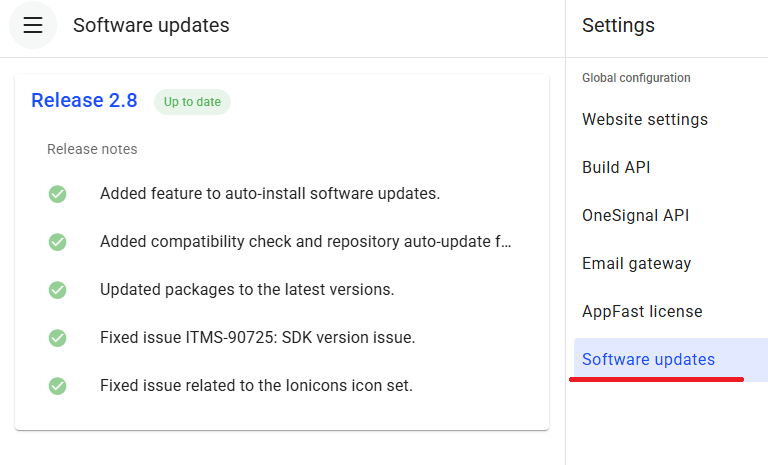
Update
To update your website, simply copy or replace the files in the Update.zip file into the corresponding folder or file.
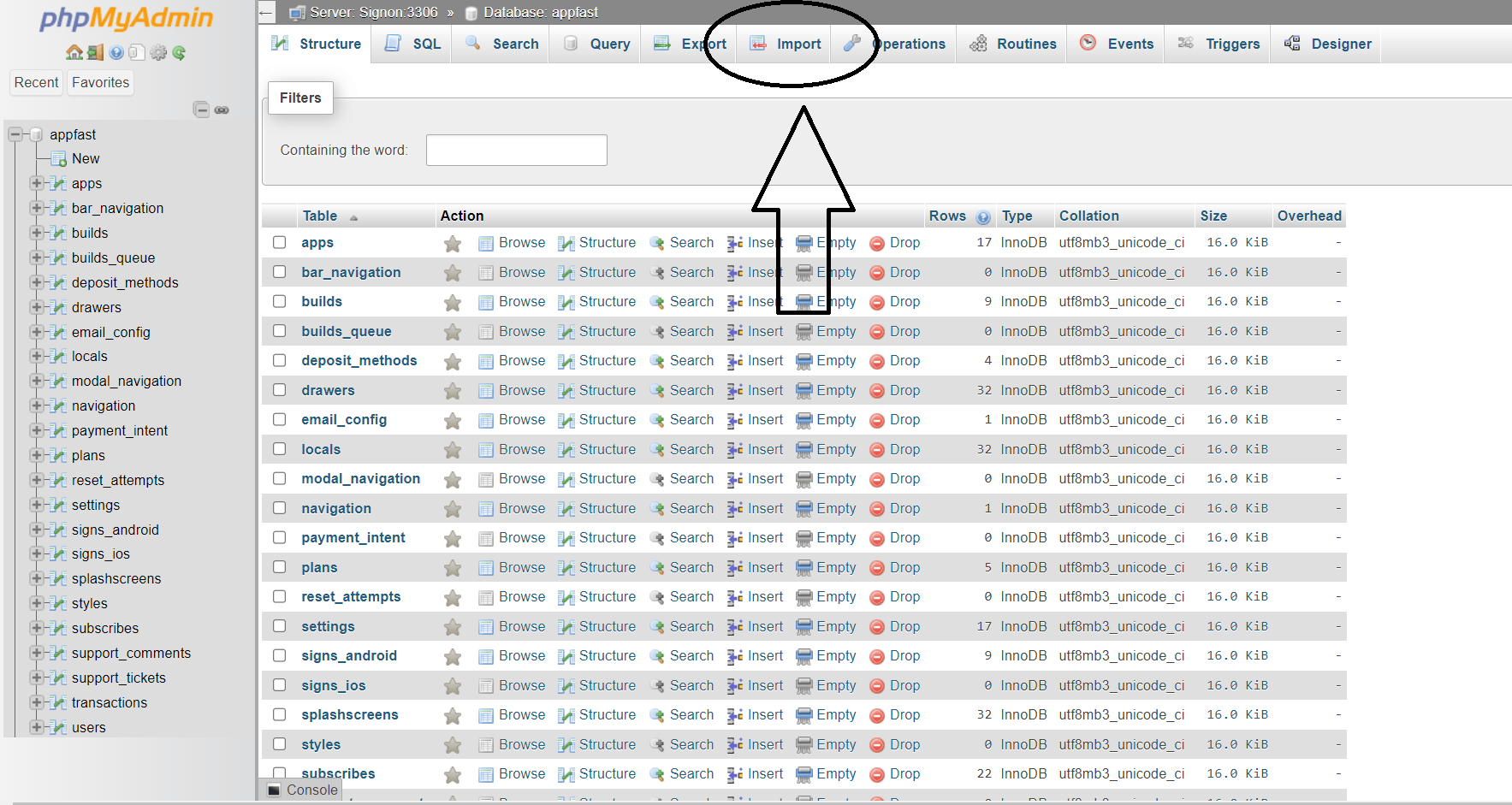
1. First, access your phpMyAdmin and select the Flangapp database.
Click on the Import button in phpMyAdmin.
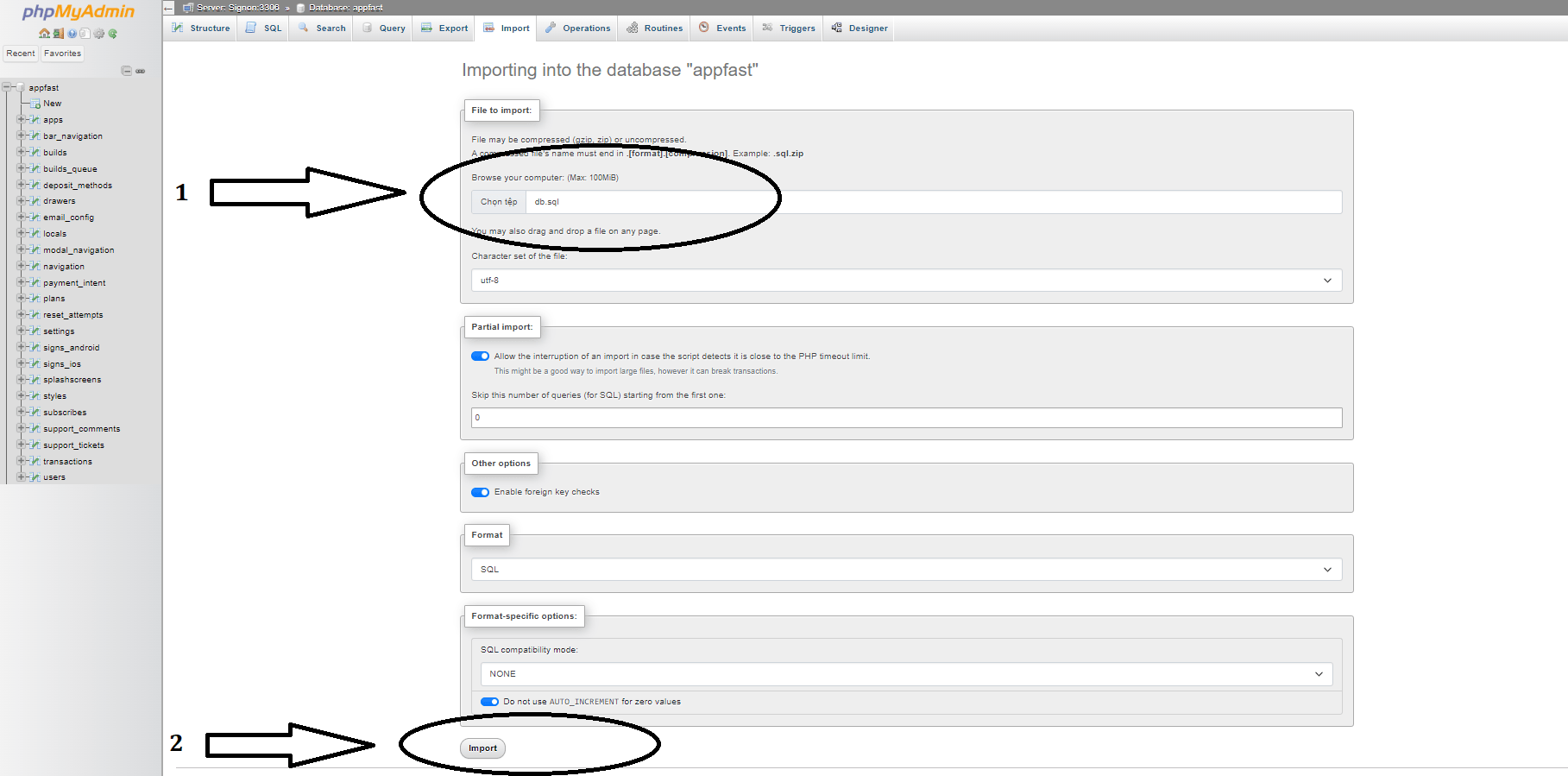
2. Select the db.sql file in the update folder.
3. Click the Import button at the bottom of the page.
Please replace/add the files inside the update folder to the corresponding files/folders on your web server. The new version is ready to use.
Update from 2.7 to 2.8
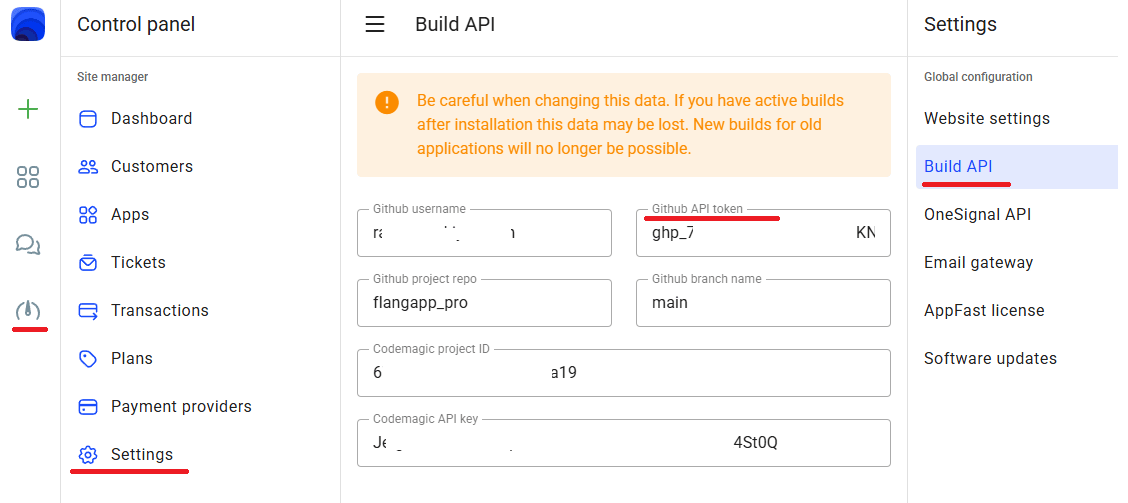
If you have updated your installed version of Flangapp, generate a new GitHub token and update it in settings (token only).
Go to the Software updates section and update your repository.